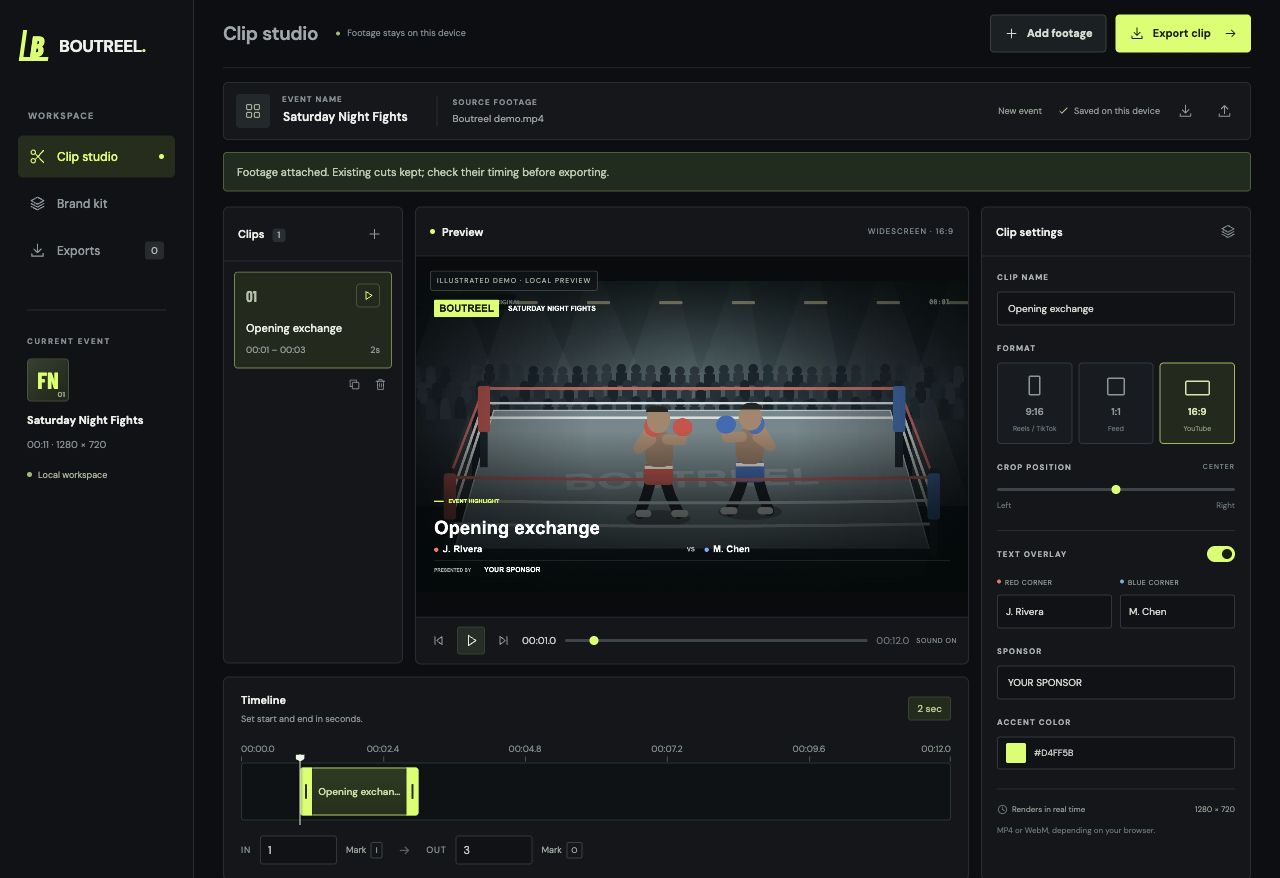
9:16
1:1
16:9
Portrait, square, or wide.
Choose a format for each clip and move the crop to keep the action in view.
9:16 / 1:1 / 16:9FIGHT VIDEO EDITOR EARLY VERSION
Trim the action. Frame the fighters. Add your sponsor.
Start editing in your browser.
No account needed. Your footage stays on your device.
THE WORKFLOW
Open a video from your device, or load the demo to try the tools.
Set each clip’s start and end. Adjust the crop, fighter names, and sponsor.
Download clips individually with their text overlays and original audio.
MADE FOR FIGHT FOOTAGE
Choose a format for each clip and move the crop to keep the action in view.
9:16 / 1:1 / 16:9Add fighter names, event details, sponsor text, and your accent color to the export.
FIGHTERS / EVENT / SPONSORPreview and render locally. Save your project settings, then reopen them and reattach the source video.
A FEW DETAILS
This early version uses manual cuts. You choose the moments and adjust their start and end points. Automatic highlight suggestions are not available yet.
Individual clips in portrait (720 × 1280), square (720 × 720), or landscape (1280 × 720), with audio and optional text overlays. Your browser determines whether the download is MP4 or WebM. Rendering takes roughly the length of the clip; keep the tab visible while it runs.
No. Open the editor and add a local video, or load the included demo. Editing and rendering happen on your device.
Yes. Project settings are saved in this browser. You can also save and open a project file. Keep your original video—you’ll need to reattach it when you return.
START WITH A CLIP
Or load the demo and make a quick cut.